If you are looking for a typeface that feels like a warm hug for your next design project, the Motcha Font is a fantastic choice. This cute display font brings cozy warmth to your work with ultra-bold, pillowy letterforms. Whether you are a crafter making sticker sheets, a small business owner designing coffee shop packaging, or a print-on-demand seller creating cute apparel, this typeface offers the perfect blend of heavy presence and casual approachability.
What makes this typeface stand out for cozy branding?
The charm of this typeface lies in its soft, rounded contours and clean geometry. It balances a bold visual weight with a gentle, inviting feel. The default styling often features a layered, cloud-like sticker outline in earthy cream and sage-green tones, which instantly gives it a comforting, café-inspired aesthetic. This makes it incredibly easy to create designs that feel professional yet incredibly sweet and approachable for your customers.
Where should you use a rounded display font?
Because of its friendly and heavy personality, this font works beautifully across a variety of creative projects. Here are some of the best ways to use it in your shop or studio:
- Coffee shop branding: Use it for menus, loyalty cards, and storefront signs to give customers a welcoming vibe before they even walk in.
- Children’s book titles: The soft shapes are perfect for kids' media. If you need more options for children's projects, you might want to explore this playful children display font category to find matching styles.
- Lifestyle packaging: It adds a charming touch to candle labels, soap wrappers, and artisanal food products.
- Social media headers: Grab attention on Instagram or Pinterest with headlines that feel soft and incredibly inviting.
How does it pair with other typefaces?
When building a visual identity, pairing your main display typeface with the right supporting fonts is crucial. Since this font has a lot of personality and visual weight, it pairs best with clean, simple sans-serifs or elegant serifs for body text. If you are working on a vintage-inspired café menu, you could contrast it with the Old Vintage Victorian III display font for a classic secondary heading. For a more modern, botanical product line, mixing it with the Bloomsy display font can create a beautiful, nature-inspired contrast.
Is it easy to customize for different projects?
Yes, the clean geometry of the letterforms makes it highly versatile. You can easily adjust the tracking or add your own drop shadows and textures in software like Illustrator or Canva. If you are designing a retro-themed product, you might want to see how it looks alongside the Picky Retro display font to give your layout a nostalgic but fresh feel. Alternatively, if you are working on a greeting card and need a friendly script to complement the bold headers, checking out the Hello Angela display font might give you the exact pairing you need.
What should you check before finalizing your design?
Before you send your files to the printer or upload them to your online shop, take a moment to review these quick design checks:
- Check the contrast: Ensure your text color stands out clearly against your background, especially since the default palette uses soft earthy tones.
- Test the sizing: Because the letterforms are ultra-bold, make sure they do not bleed together when used in smaller sizes.
- Verify the license: Double-check that your subscription covers the specific commercial use you need, whether it is for physical products or digital downloads.
- Readability check: Step back from your screen or print a test page to ensure the cozy vibe does not compromise legibility.
As your next step, download the font files, open them in your favorite design software, and type out your brand name to see how those pillowy letters bring your vision to life.
Get Started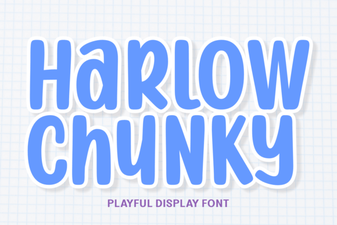 Harlow Chunky Font for Bold Logos and Creative Designs
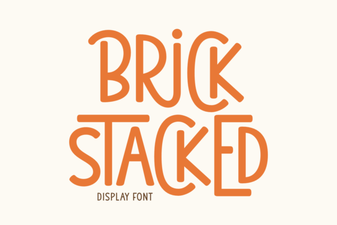 Bold Design Ideas Using the Brick Stacked Font
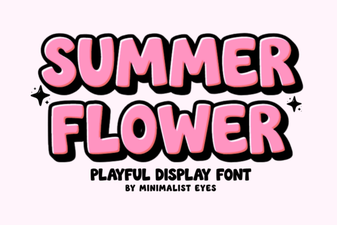 Creative Design Ideas with Summer Flower Font
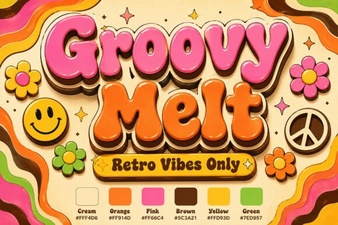 Groovy Melt Font: Retro Typography for Creative Projects
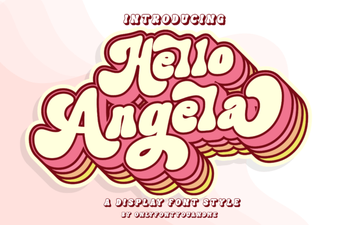 Hello Angela Font: Elegant Typography for Modern Design
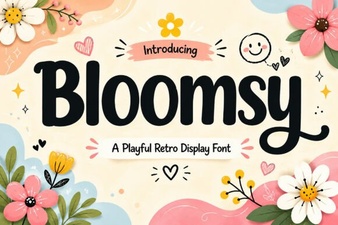 Bloomsy Font: Elegant Typography for Creative Projects